 Sleep Tiles
Sleep debt, explained
Sleep debt is the gap between the sleep you need and the sleep you get, added up over several nights. Here's how to work out yours, why sleeping in doesn't wipe it out, and how Sleep Tiles counts it over two weeks.
What sleep debt means
One short night is a small gap. Five short nights in a row add up to a bigger one, and that total is the number people mean when they say they're "behind on sleep".
How much you need varies from person to person. For adults, the American Academy of Sleep Medicine recommends 7 or more hours a night on a regular basis. Pick a goal that matches what you need to feel rested, not what you wish you needed. The rest of this guide uses 8 hours.
How to work out your sleep debt
- Choose your nightly goal, for example 8 hours.
- Look at your time asleep for each of the last 14 nights. Use time asleep rather than time in bed, since lying awake doesn't count.
- For each night, take the goal minus what you slept. A short night gives a positive number, a long one a negative number.
- Add them up. If the total is below zero, call it zero.
Here is one week, with the other seven nights of the two weeks at exactly 8 hours, so they add nothing:
| Night | Asleep | Debt |
|---|---|---|
| Monday | 6 h 30 m | +1:30 |
| Tuesday | 7 h | +1:00 |
| Wednesday | 6 h | +2:00 |
| Thursday | 7 h 30 m | +0:30 |
| Friday | 5 h 45 m | +2:15 |
| Saturday | 9 h 30 m | −1:30 |
| Sunday | 10 h 30 m, counted as 2 hours back | −2:00 |
The total is 3 hours 45 minutes. Sleeping in on the weekend clawed back 3 and a half hours, but the weekdays had already run up 7 and a quarter.
Why sleeping in once doesn't wipe it out
On paper, a 12 hour Sunday would cancel 4 hours of debt. Sleep Tiles doesn't count it that way: one night can pay back at most 2 hours, which is why Sunday above counts as 2 hours rather than 2 and a half. A week of short nights has to be paid back over more than one morning. The Sleep Foundation says it's unclear whether sleeping in makes up for lost sleep, and suggests increasing sleep by 15 to 30 minutes at a time.
The total also never goes below zero. Sleeping 9 hours tonight doesn't bank anything for next week.
Why two weeks
You could count debt over months, but that number gets large, never seems to move, and tells you little about this week. A 14 day window keeps it about recent nights. Each night drops off after two weeks, so two weeks at your goal clears the debt Sleep Tiles shows, however large.
Nights without data are left out rather than counted as no sleep, since a missing night usually means a flat watch battery, not a sleepless night. To give a fair number, Sleep Tiles waits until at least 7 of the last 14 nights are tracked.
Paying it back
Instead of one long morning in bed, try going to bed a little earlier for several nights. Spread over a week, the 3 hours 45 minutes above works out at about half an hour a night. So with a bedtime window that opens at 10:30 PM, aim to be in bed by 10:00 PM. That's the suggestion Sleep Tiles makes: the debt spread over 7 nights, rounded to 15 minutes, between 15 minutes and an hour earlier than your window opens.
A large debt can take the full two weeks to clear, and that's fine. Sleep debt here is a way to keep score, not a medical measure. If you're tired all the time even when the number says you're on track, that's worth raising with a doctor.
In Sleep Tiles
Your sleep debt, worked out every morning
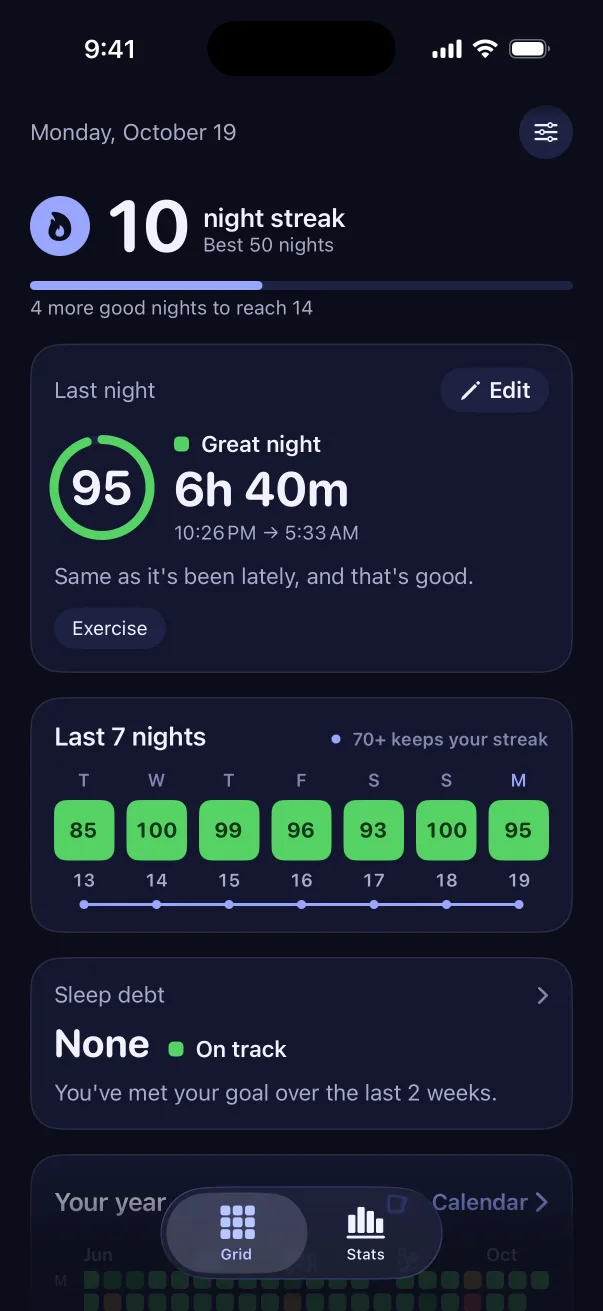
Sleep Tiles adds up the last two weeks for you, from the sleep your Apple Watch, Oura, WHOOP, Garmin or sleep app saves to Apple Health. It doesn't record sleep itself. The sleep debt card on the home screen shows the total, how you're doing and one line about tonight.
- On track under 1 hour, a little behind under 5 hours, behind above that
- A bedtime for tonight that helps pay it back
- A 14 day chart of what each night added or paid back, and the change since a week ago