 Sleep Tiles
Track your sleep like a habit, with a streak
A habit tracker shows a chain of days you don't want to break. The same idea works for sleep, as long as you're clear about what counts as a good night.
Why a streak works for sleep
"Sleep more" is a hard goal to keep because there's never a moment where you've done it or haven't. A streak gives you that moment. Each morning the answer is yes or no, and a run of yeses is something you can see and don't want to lose.
It's the same trick habit trackers use for running or reading: mark each day, and let the chain do some of the work. The difference with sleep is that you have to decide carefully what a good night is, because you can't decide to fall asleep the way you can decide to go for a run.
Decide what counts as a good night
Pick a rule that is mostly in your control and simple enough to check in a second. Some options:
- Hours asleep. At least 7 hours, say. Easy to understand, but it ignores a 2 AM bedtime followed by sleeping in.
- A bedtime. In bed by 11 PM. Fully in your control, but says nothing about how the night went.
- A score. A sleep score of 70 or more. It combines length, bedtime and how settled the night was, so one number covers it.
Sleep Tiles uses the score, with 70 as the default bar. You can move the bar up or down, and you can change the sleep goal and bedtime window that feed the score. How the score adds up is in how a sleep score is calculated.
Make it fit your schedule
A rule built for someone who goes to bed at 10:30 PM is useless to a nurse on nights. Set the bedtime window around when you actually sleep. In Sleep Tiles it can be anywhere on the clock, from 15 minutes to 4 hours wide, so a night shift scores as fairly as a 10 PM bedtime. If 7 hours is enough for you, set a 7 hour goal and stop losing points for an extra hour you don't need.
What breaks a streak
In Sleep Tiles a streak counts good nights in a row, by the day you wake up. Two things end it:
- A night that scores under your bar.
- A night with no sleep data at all.
The second one catches people who forget to charge their watch. If that happens, open the empty night and log it by hand: enter your bedtime and wake time and how rested you felt, and it's scored like any other night. This morning's square doesn't break anything while your tracker is still syncing, so a slow Garmin or Oura won't cost you the streak, as long as the night arrives that day.
When a streak does end, the count goes back to zero but the tiles stay. A month that was mostly green is still mostly green.
Aim for the next milestone
A 100 night streak feels a long way off on night two. Short steps help. Sleep Tiles marks milestones at 3, 7, 14, 30, 60, 100, 180 and 365 nights, then every 100, and the home screen shows how far away the next one is: "2 more good nights to reach 7".
In Sleep Tiles
Your streak, first thing every morning
As soon as last night reaches Apple Health, Sleep Tiles scores it and updates your streak. It doesn't record sleep itself: it works from what your Apple Watch, Oura, WHOOP, Garmin or sleep app saves to Health.
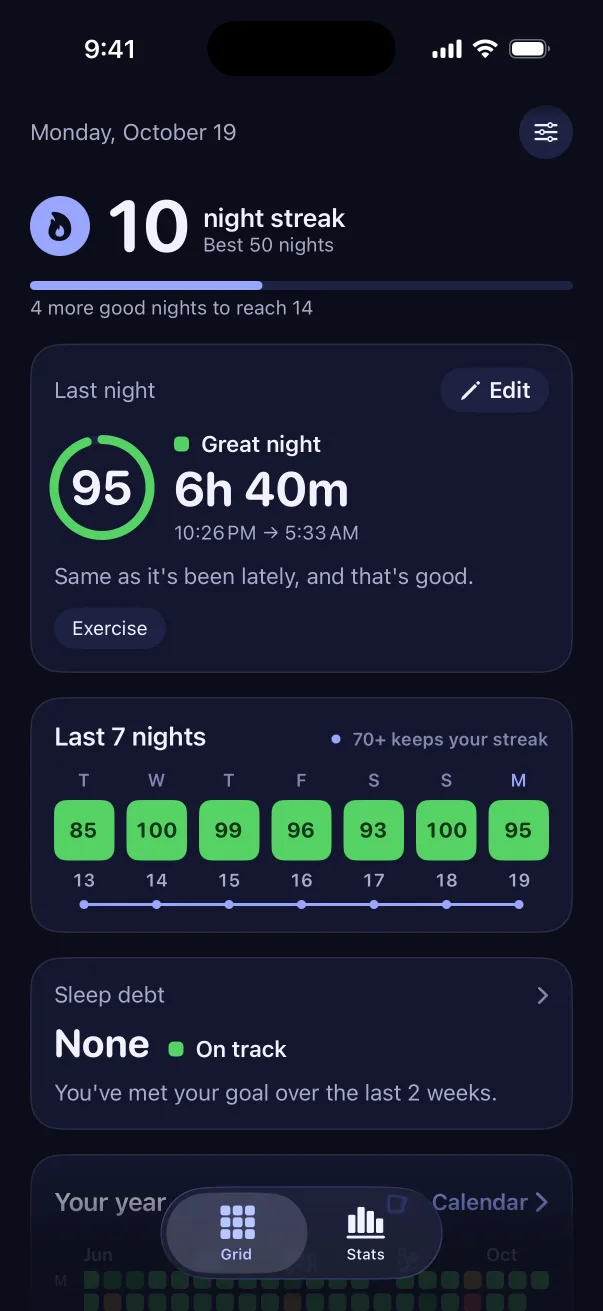
- Your streak, your best so far and the next milestone
- The last 7 nights as tiles, with the good ones joined up
- A year grid of every night, so a broken streak never hides your progress
Keep it where you'll see it
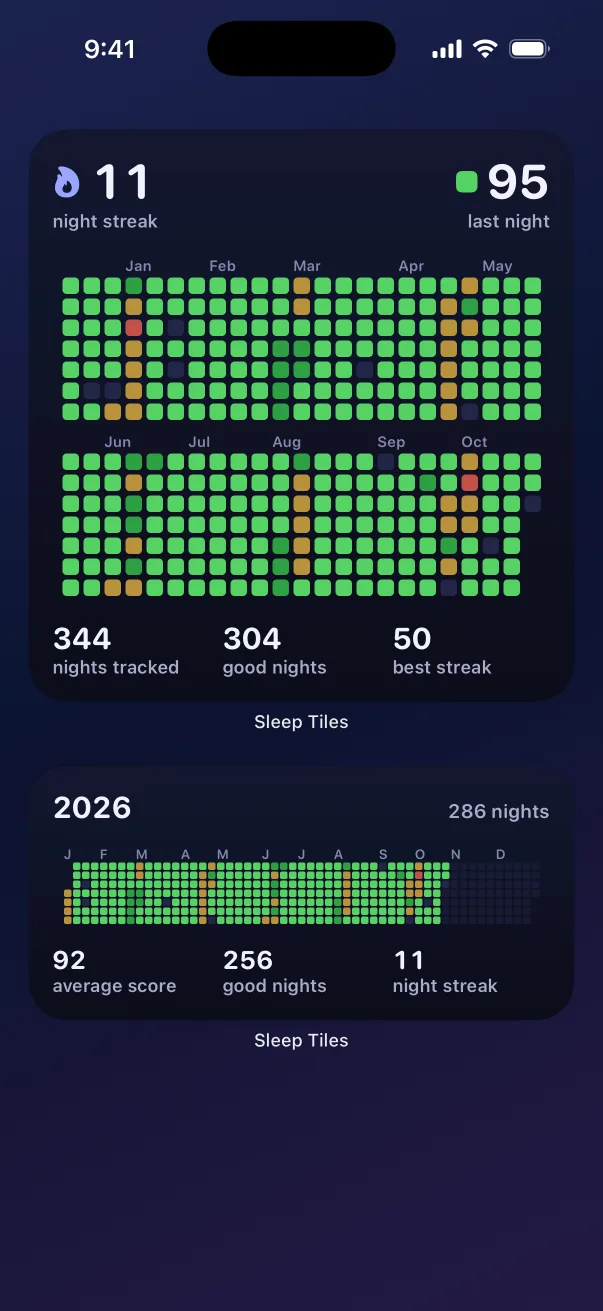
A streak you only see when you open an app is easy to forget by 11 PM. Put it on your Home Screen or Lock Screen instead. Sleep Tiles has widgets with your streak and grid in small, medium and large sizes. On the Lock Screen you can show the streak count, the last 7 nights or a ring that fills toward your next milestone.
A bedtime reminder helps at the other end of the day. It can go off 15, 30, 45 or 60 minutes before your bedtime window opens, so you get a nudge while there's still time to wind down.
Widgets
A streak you see every time you pick up your phone
Widgets usually update on their own in the morning once your night reaches Apple Health, and again just after midnight, so the count is right without opening the app.
Don't let the streak run you
A streak is a nudge, nothing more. If you're sick, traveling or up with a baby, the night will be what it is, and the right move is to sleep however you can and start a new streak afterwards. If watching the number starts to make bedtime stressful, set the bar lower or look at the grid instead of the count for a while.
